Shopify plugin
Shopify integration templates
Reference Shopify Liquid snippets for offering AKKO protection plans alongside a device purchase. Each option below puts the plan in a different place in the buying flow — pick the one that best fits your storefront.
Every snippet is written against Shopify's Dawn theme and will need adapting to your own markup, class names and styling. Test in a duplicated, unpublished theme before going live. AKKO provides these as a starting point and does not warrant them as production-ready for any particular store.
Choose an integration
Product page — opt-in modal
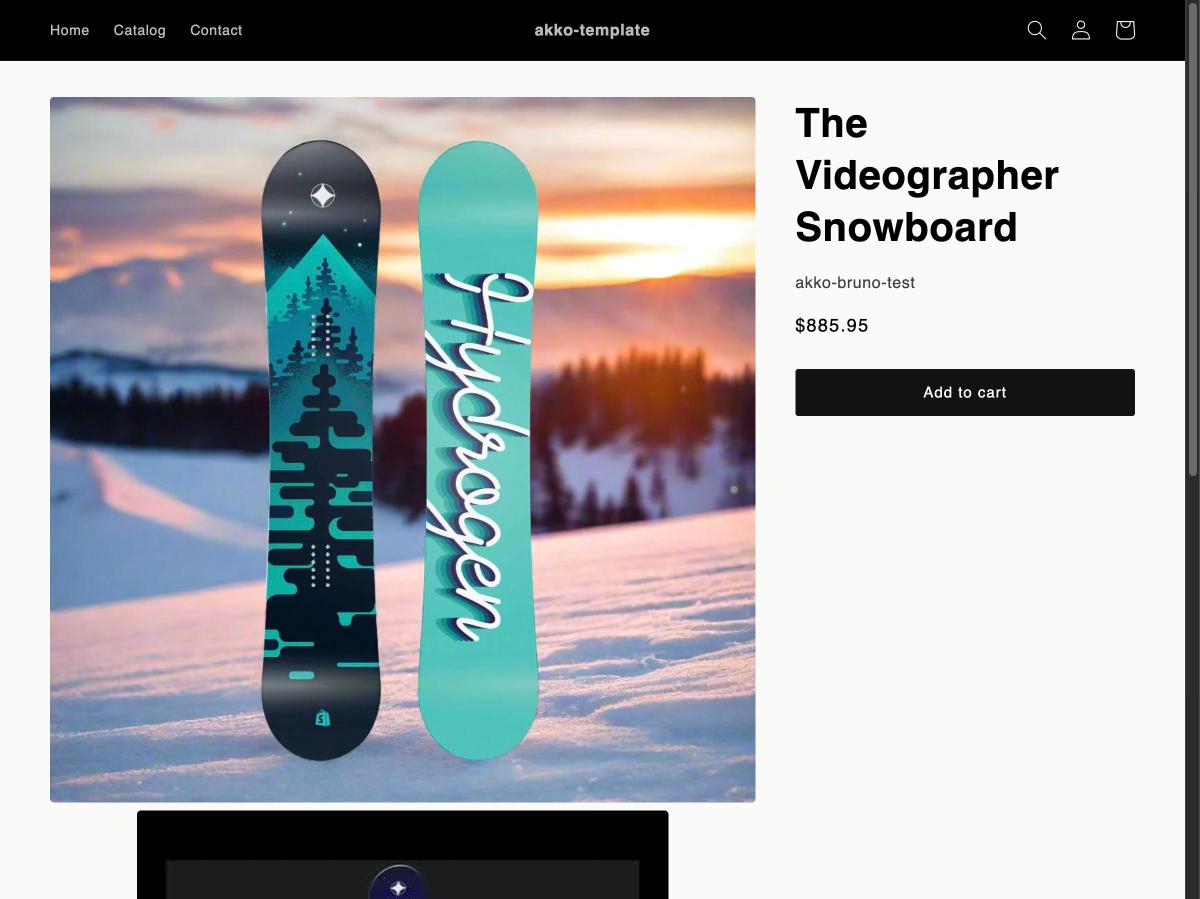
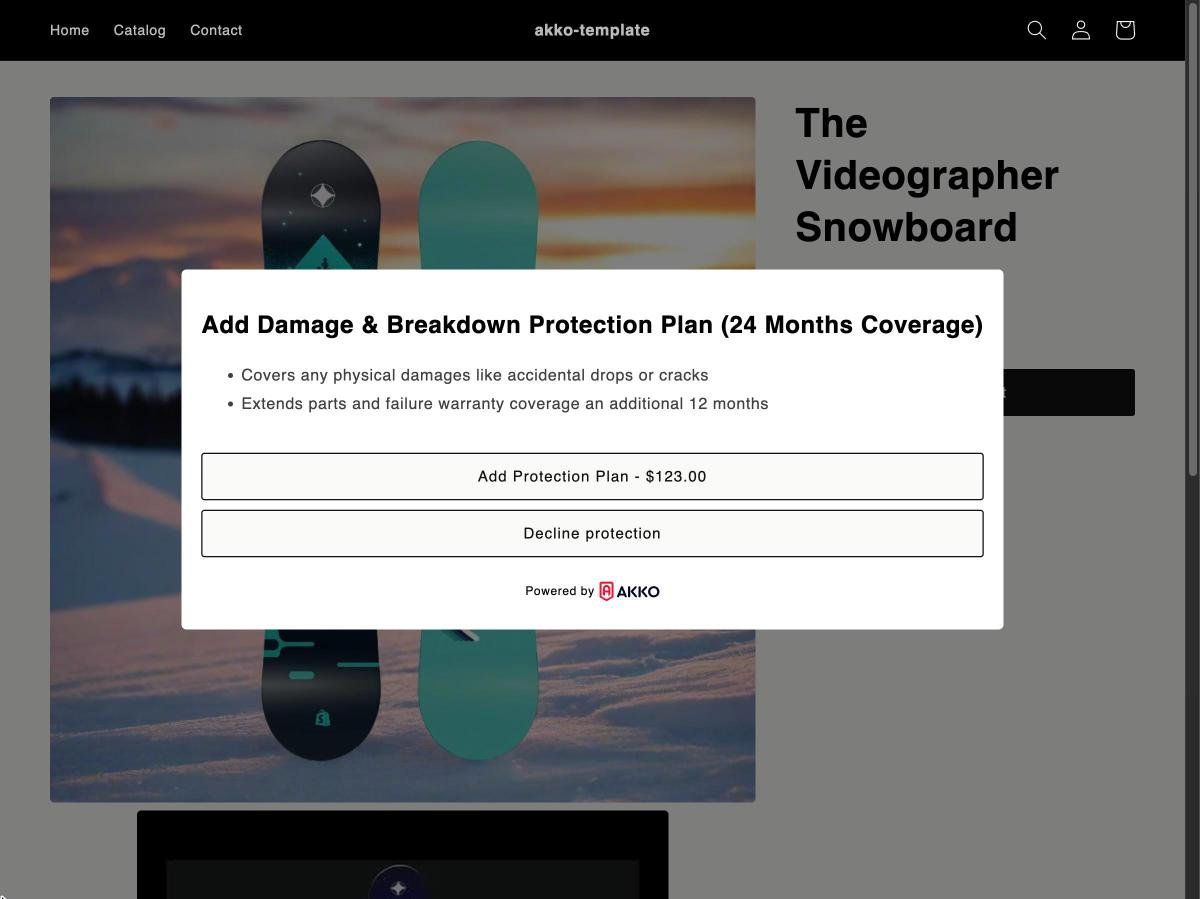
Most recommendedReplaces the theme's Add to Cart button. When the customer adds an item, a modal appears summarising the coverage included in the protection plan, so they opt in before the item reaches the cart. Highest attach rate of the four.
Replaces your buy-buttons snippet in sections/main-product.liquid
Product page — inline toggle
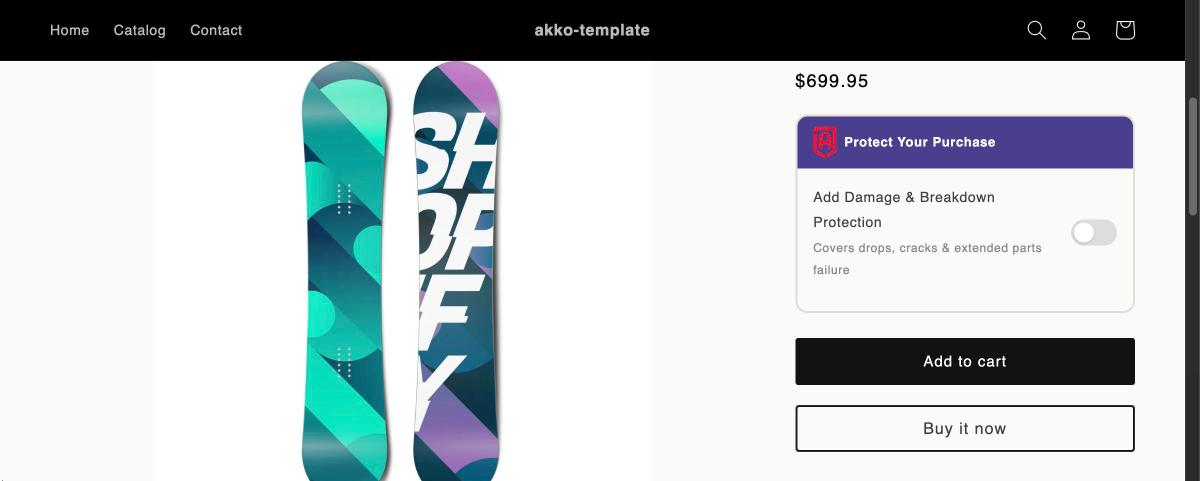
A "Protect Your Purchase" card rendered directly on the product page, below the price and above the Add to Cart / Buy it Now buttons. The customer uses a toggle to opt in or out before adding to cart, with no modal interruption.
Replaces your buy-buttons snippet in sections/main-product.liquid
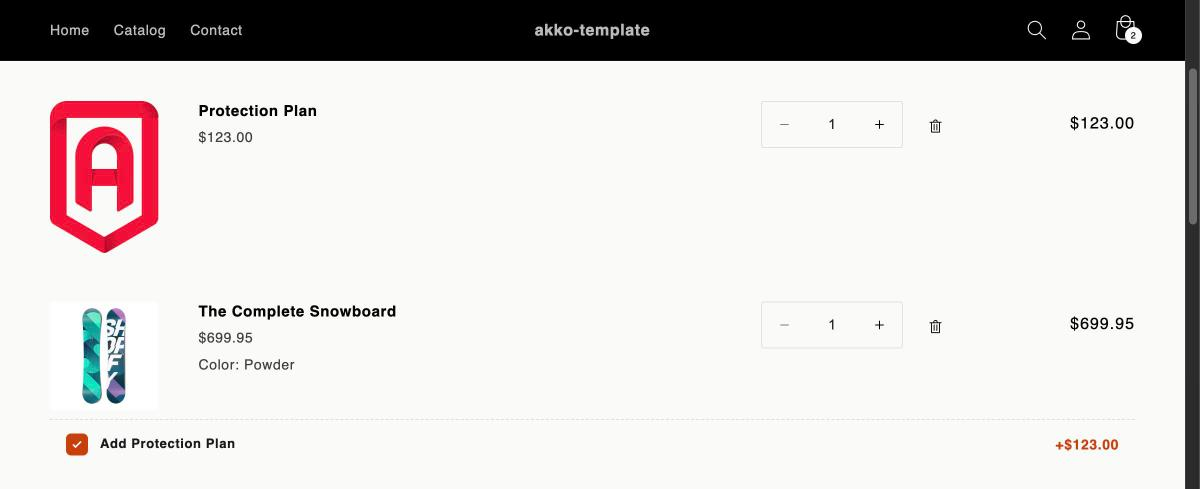
Cart page — per-product checkbox
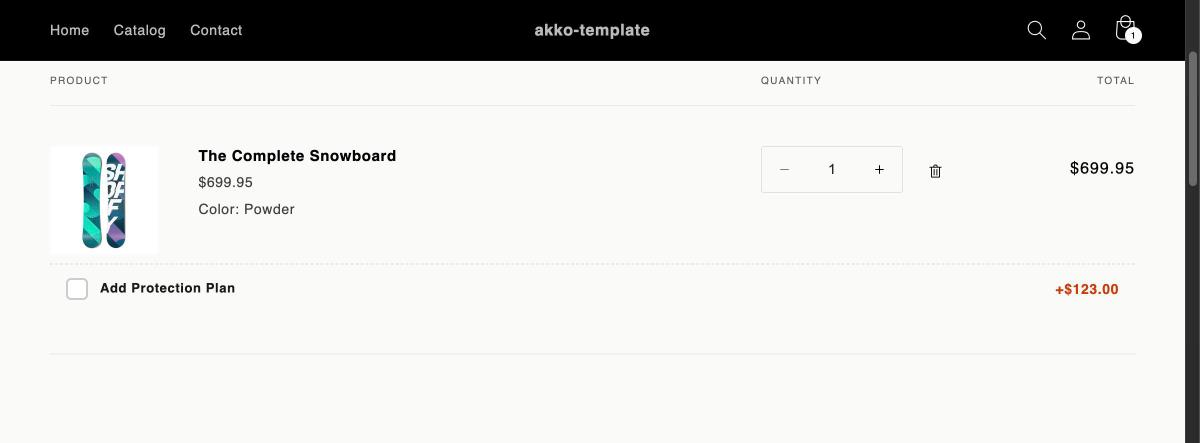
A checkbox row rendered beneath each cart line item that has an AKKO plan associated with it, with the price difference shown inline. When checked, the protection plan is added to the cart as a separate line item.
Rendered inside your cart item loop in sections/main-cart-items.liquid
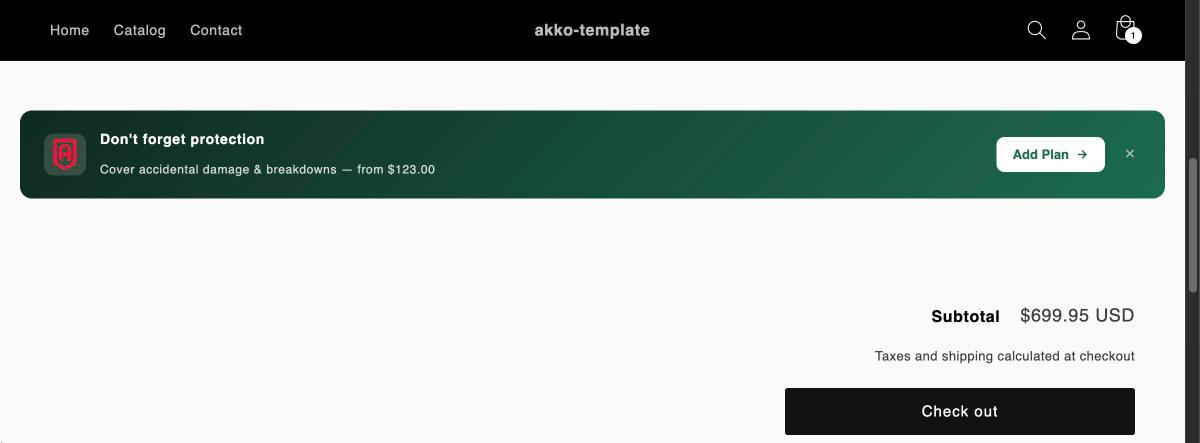
Cart page — sticky banner
A sticky banner shown at the bottom of the cart whenever qualifying products are present, prompting the customer to add coverage in a single click. It can be dismissed without affecting anything already in the cart.
Added at the bottom of your cart items list in sections/main-cart-items.liquid
Before you start
All four options discover protection plans through the akko.plan product
metafield, which AKKO configures on your store during setup. Products without that metafield
are skipped automatically, so a snippet is safe to render across your whole catalogue.